
yt-dlp
yt-dlp is a free, public-domain command-line program for downloading video and audio from YouTube and many other video sites.
Windows
Open source

5.0.0 · Freemake.com · Page updated
Freemake Video Downloader is free Windows software for downloading online videos to your computer for offline viewing.
Average 0.0 · ratings: 0
Thank you! Your rating is saved; you can change it. Could not save the rating. Please try again later. Too many ratings from your network today. Please try again tomorrow. The average appears after 5 ratings.
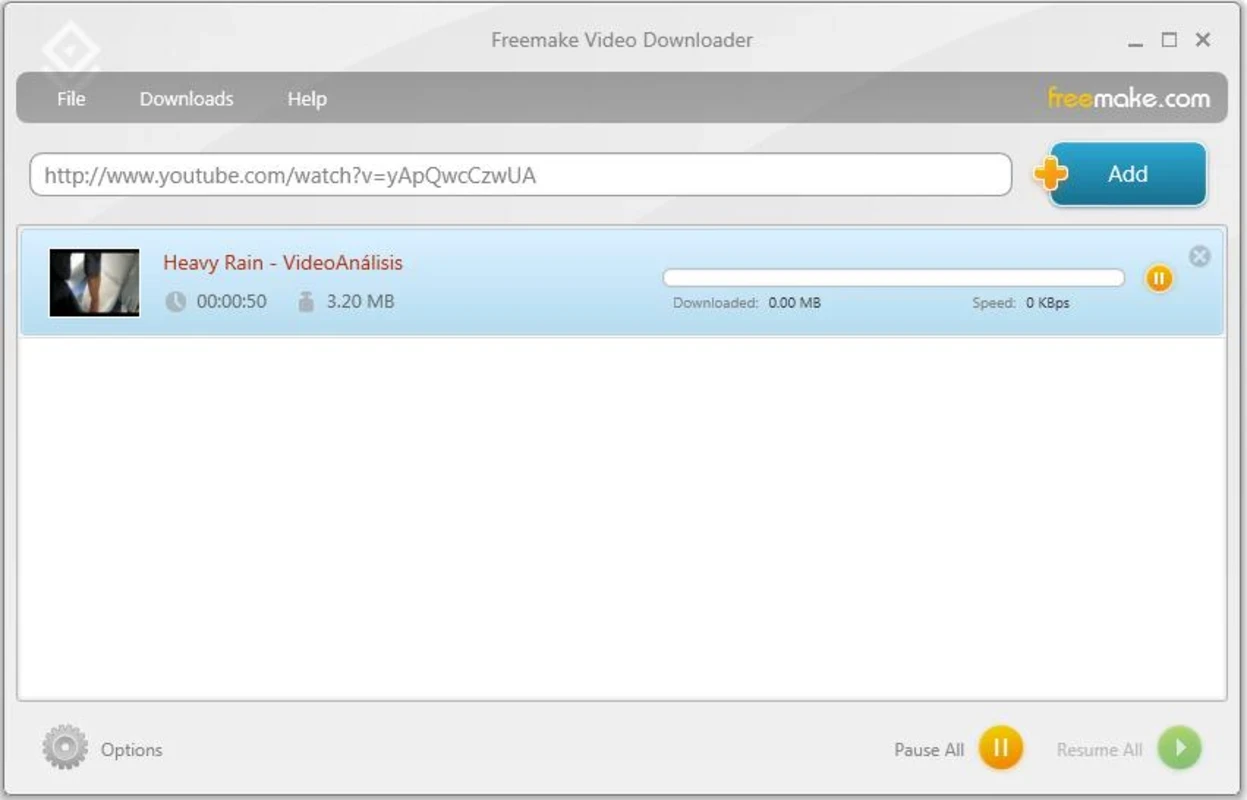
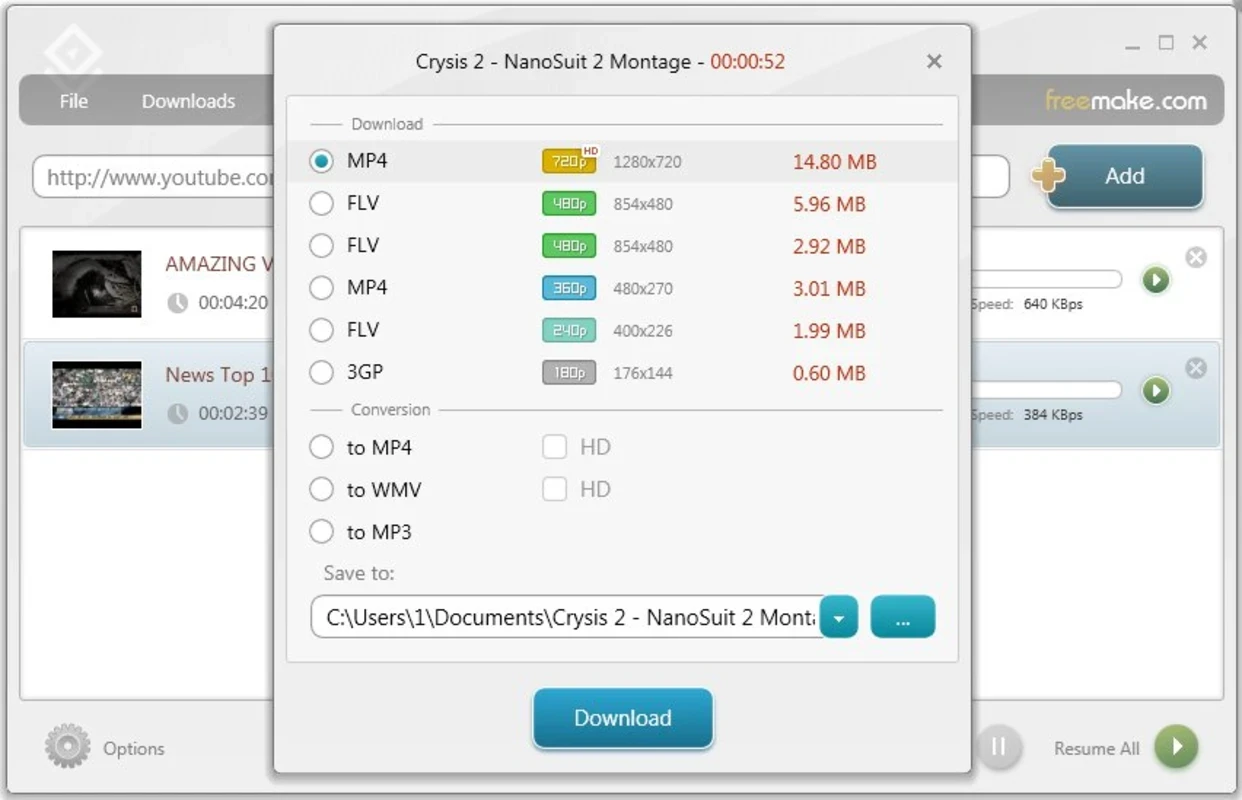
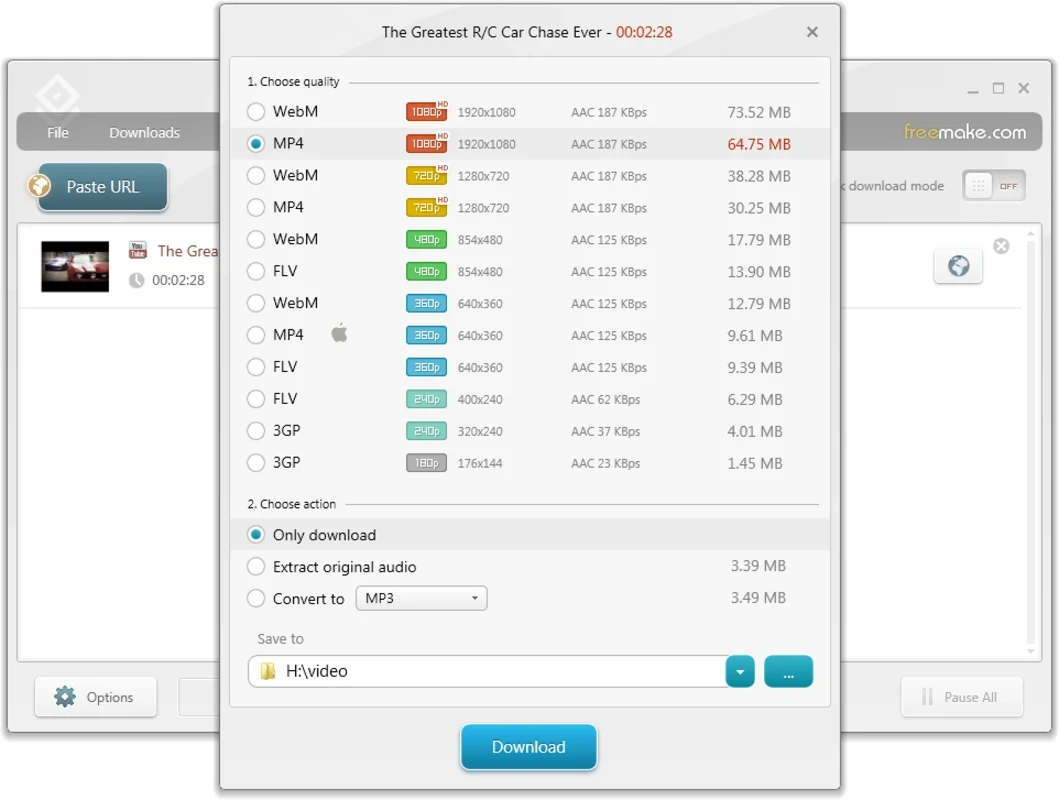
Freemake Video Downloader 5.0.0 is free software for Windows that saves online videos to your computer so you can watch them offline. You can download Freemake Video Downloader from the official website freemake.com, and it runs on versions from Windows Vista to Windows 11.
The program works as a download manager for video. You copy the link of a video from a supported site, paste it into Freemake, choose a format and quality, and the file is saved to a folder on your PC. This is useful when you travel without a stable connection, want to keep a lecture or tutorial for later, or need to watch your own uploaded videos on a device that is not online. The line has a long history: versions 2.2.0 and 3.0.0 appeared in 2011, and the latest listed build, 5.0.0.17, is dated October 17, 2025. For people who do not want to learn command-line tools, a window with a link field and a download button is the main attraction.
According to the official page:
The installer is about 994.29 KB according to catalogue data.
It depends on the video and the site. Saving your own content or videos that the author allows to download is fine. Downloading copyrighted material without permission, or breaking a site's terms of service, is not. Check the rules of the platform before you save anything.
The program is freeware. Download it only from freemake.com: installers from other sites may be bundled with unwanted software. Read the version history to see what changed in recent builds.
Video sites change often, and a download manager has to keep up. Update the program first, then check that the link opens in a browser and that the video is public. If it still fails, try another format or quality.
Our listings include 4K Video Downloader Plus, ClipGrab, JDownloader and the command-line yt-dlp.
yt-dlp is a free, public-domain command-line program for downloading video and audio from YouTube and many other video sites.

SHAREit is a free Windows app from the SHAREit Team for moving photos, videos and documents between a PC and a phone. The current version is 5.1.0.7.

Zapya for Windows is a free file transfer app from DewMobile for moving files between a PC and phones over a local wireless connection.

Easy Connection to Screen is Samsung's Windows app for showing a PC's screen on a compatible Samsung TV over a wireless connection.

Internet Download Manager (IDM) is a shareware download manager for Windows from Tonec that accelerates, resumes and schedules downloads.

uTorrent (μTorrent) is a small BitTorrent client for Windows from Rainberry (BitTorrent Inc) for downloading and sharing files over torrents.

AnyDesk is a remote desktop application for connecting to and controlling another computer over the internet, from a small Windows program.

ShareMe is Xiaomi's free app for sending files between devices without a cable; on Windows the Android app runs only inside an emulator.

Xender is a free file sharing app from the Xender File Sharing Team for sending files between phones and computers over a local connection.